
本文介绍/发布了 Gemini 2.5 Flash Image,Google 新的图像生成和编辑模型。它重点介绍了以下关键功能:混合多个图像,在各种提示中保持人物形象一致性,使用自然语言执行有针对性的转换,以及利用 Gemini 固有的世界知识来增强图像生成和编辑。该模型可通过 Gemini API、面向开发者的 Google AI Studio 和面向企业的 Vertex AI 立即使用,并提供了明确的定价详情。该帖子强调了 Google AI Studio 的“构建模式”的重大更新,并提供了模板应用程序以方便开发。它还提到了与 OpenRouter.ai 和 fal.ai 的合作,以扩大可访问性,并包括用于 AI 生成图像的 SynthID 数字水印。
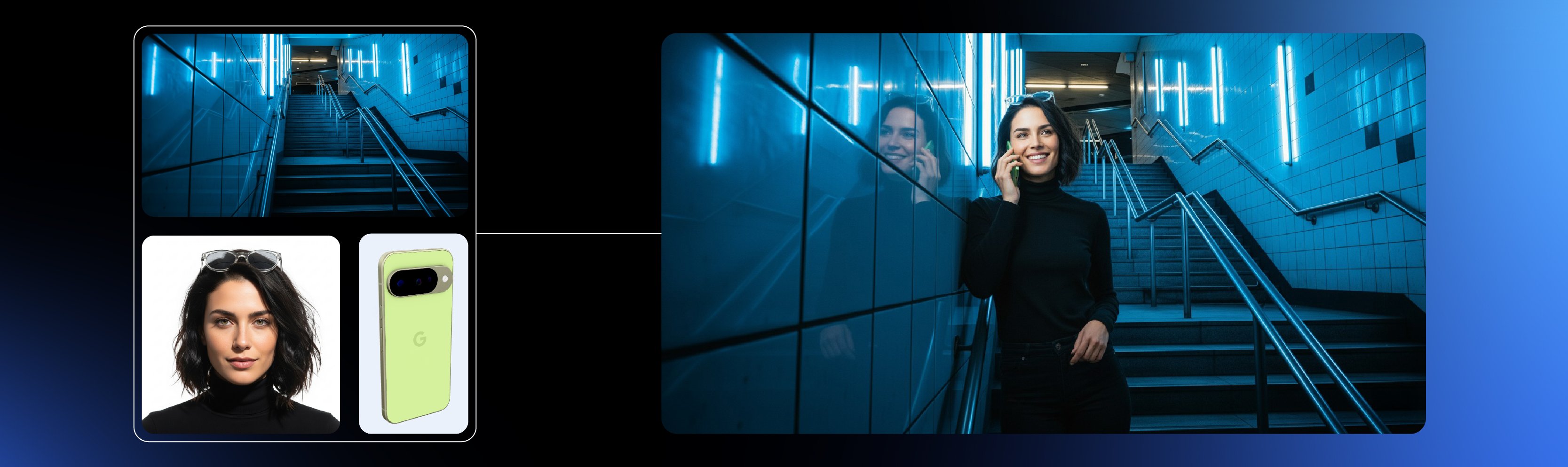
Today, we’re excited to introduce Gemini 2.5 Flash Image (aka nano-banana), our state-of-the-art image generation and editing model. This update enables you to blend multiple images into a single image, maintain character consistency for rich storytelling, make targeted transformations using natural language, and use Gemini's world knowledge to generate and edit images.
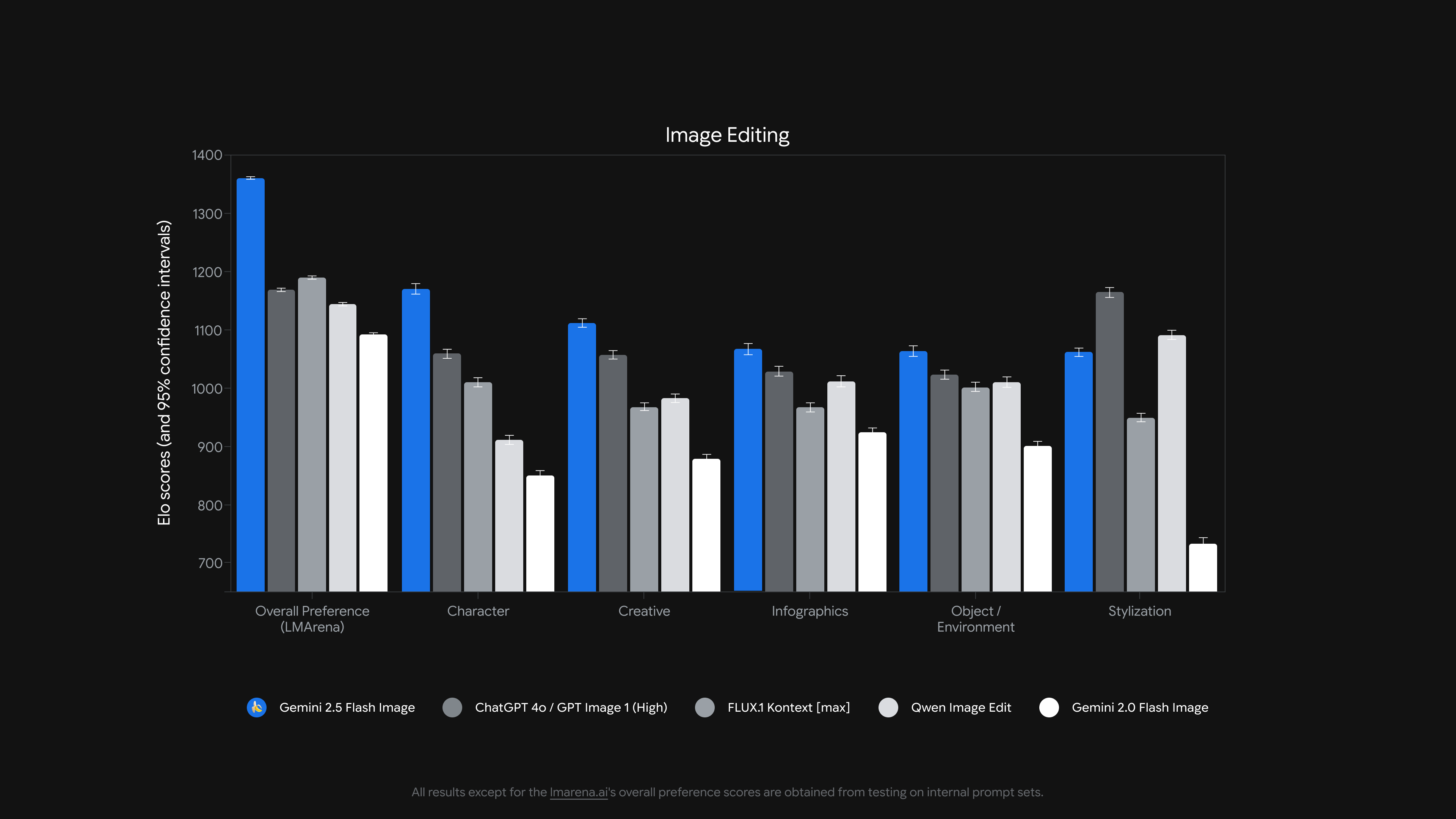
When we first launched native image generation in Gemini 2.0 Flash earlier this year, you told us you loved its low latency, cost-effectiveness, and ease of use. But you also gave us feedback that you needed higher-quality images and more powerful creative control.
This model is available right now via the Gemini API and Google AI Studio for developers and Vertex AI for enterprise. Gemini 2.5 Flash Image is priced at $30.00 per 1 million output tokens with each image being 1290 output tokens ($0.039 per image). All other modalities on input and output follow Gemini 2.5 Flash pricing.
Gemini 2.5 Flash Image in action
To make building with Gemini 2.5 Flash Image even easier, we have made significant updates to Google AI Studio’s “build mode” (with more updates to come). In the examples below, not only can you quickly test the model’s capabilities with custom AI powered apps, but you can remix them or bring ideas to life with just a single prompt. When you are ready to share an app you built, you can deploy right from Google AI Studio or save the code to GitHub.
Try a prompt like “Build me an image editing app that lets a user upload an image and apply different filters" or choose one of the preset templates and remix it, all for free!
Maintain character consistency
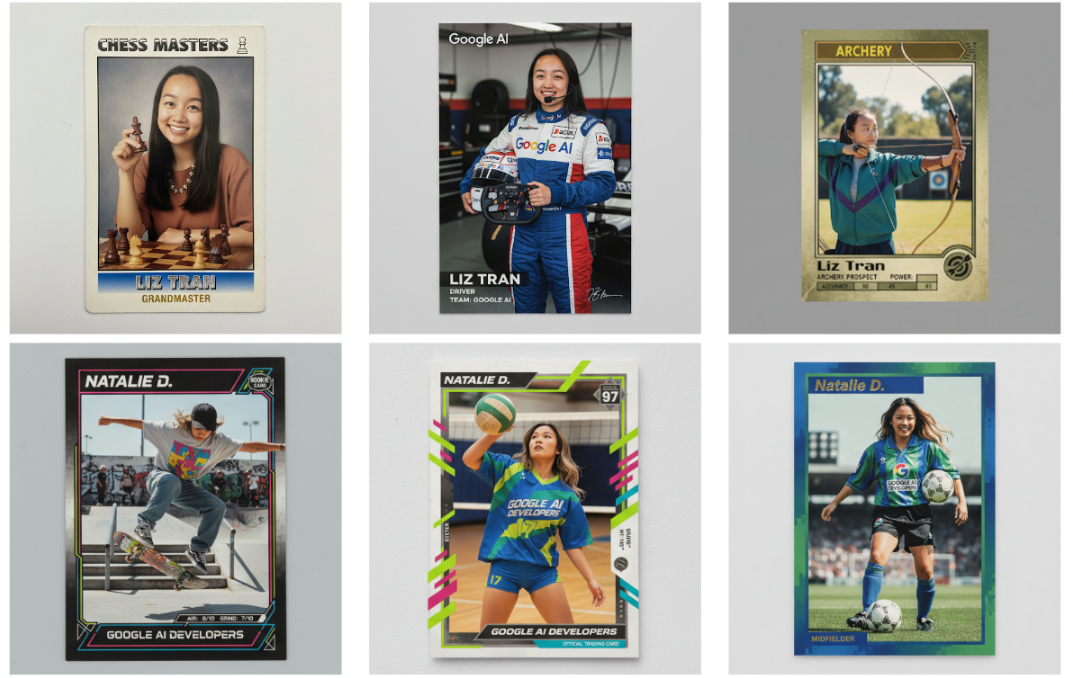
A fundamental challenge in image generation is maintaining the appearance of a character or object across multiple prompts and edits. You can now place the same character into different environments, showcase a single product from multiple angles in new settings, or generate consistent brand assets, all while preserving the subject.
We built a template app in Google AI Studio (that you can easily customize and vibe code on top of) to demonstrate the model’s character consistency capabilities.
Beyond character consistency, the model is also excellent at adhering to visual templates. We have already seen developers explore areas like real estate listing cards, uniform employee badges, or dynamic product mockups for an entire catalog—all from a single design template.
Prompt based image editing
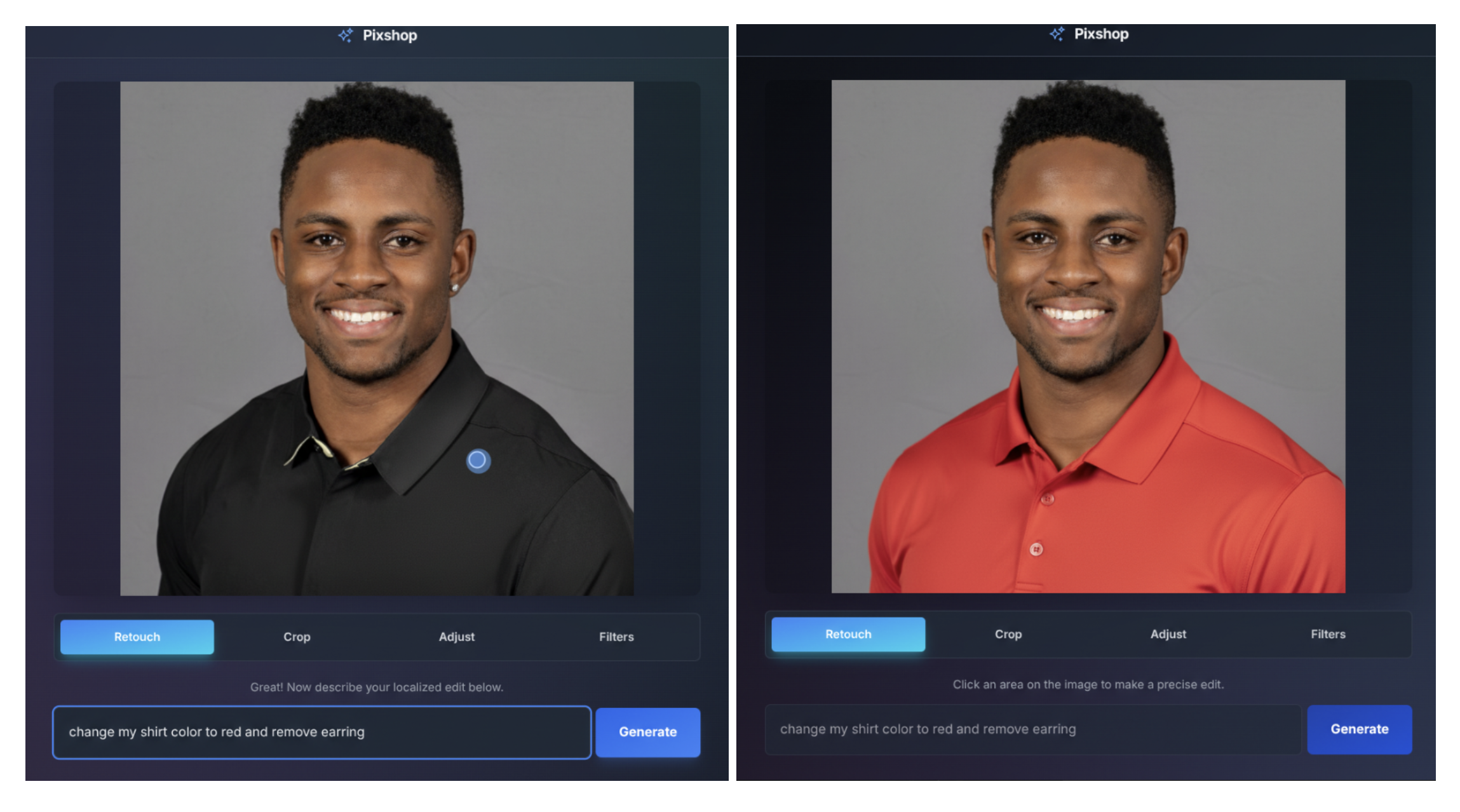
Gemini 2.5 Flash Image enables targeted transformation and precise local edits with natural language. For example, the model can blur the background of an image, remove a stain in a t-shirt, remove an entire person from a photo, alter a subject's pose, add color to a black and white photo, or whatever else you can conjure up with a simple prompt.
To show these capabilities in action, we built a photo editing template app in AI Studio, with both UI and prompt-based controls.
Native world knowledge
Historically, image generation models have excelled at aesthetic images, but lacked a deep, semantic understanding of the real world. With Gemini 2.5 Flash Image, the model benefits from Gemini’s world knowledge, which unlocks new use cases.
To demonstrate this, we built a template app in Google AI Studio that turns a simple canvas into an interactive education tutor. It showcases the model's ability to read and understand hand-drawn diagrams, help with real world questions, and follow complex editing instructions in a single step.
Multi-image fusion
Gemini 2.5 Flash Image can understand and merge multiple input images. You can put an object into a scene, restyle a room with a color scheme or texture, and fuse images with a single prompt.
To showcase multi-image fusion, we built a template app in Google AI Studio which lets you drag products into a new scene to quickly create a new photorealistic fused image.
Get started building
Check out our developer docs to start building with Gemini 2.5 Flash Image. The model is in preview today via the Gemini API and Google AI Studio but will be stable in the coming weeks. All of the demo apps we highlighted here were vibe coded in Google AI Studio so they can be remixed and customized with just a prompt.
OpenRouter.ai has partnered with us to help bring Gemini 2.5 Flash Image to their 3M+ developers everywhere, today. This is the first model on OpenRouter – of the 480+ live today –that can generate images.
We're also excited to partner with fal.ai, a leading developer platform for generative media, to make Gemini 2.5 Flash Image available to the broader developer community.
All images created or edited with Gemini 2.5 Flash Image will include an invisible SynthID digital watermark, so they can be identified as AI-generated or edited.
from google import genai
from PIL import Image
from io import BytesIO

client = genai.Client()

prompt = "Create a picture of my cat eating a nano-banana in a fancy restaurant under the gemini constellation"

image = Image.open('/path/to/image.png')

response = client.models.generate_content(
    model="gemini-2.5-flash-image-preview",
    contents=[prompt, image],
)

for part in response.candidates[0].content.parts:
  if part.text is not None:
    print(part.text)
  elif part.inline_data is not None:
    image = Image.open(BytesIO(part.inline_data.data))
    image.save("generated_image.png")
We can’t wait to see what you build with Gemini 2.5 Flash Image!